Secware_Tech6
Administrators
-
Joined
-
Last visited
Everything posted by Secware_Tech6
-
IMO = In My Opinion eg http://www.securitywarehouse.co.uk/catalog/index.php?main_page=product_info&products_id=84
-
-
Yes standard sensors will be triggered by cats, foxes etc. However risco make a unit called the watchout that is designed to ignore cats etc. However deer is a different matter. The target size and density is similar to a person. If you have deer then a PIR is not a viable solution IMO. You should be looking at active beams. Support
-
biax Im afraid i cant do anything myself on your refund, or track it as it was a bank transfer. I have emailed accounts and will let you know when i know. Sorry James
-
The part you require is a Part No. 485127 It is not included as standard with any of the 9448's Its not a stock item im afraid for us.
-
might be possible on an old one, but the new one are a re a bit advanced to be modified much and continue to work. You might be bale to use a modern one and remove the pyro, this would fool the unit into thinking the pir was not functioning and work with its only remaining technology. However I have never done this. James
-
Dave. Im sorry i dont deal with returns. I will speak to them and update you. James
-
Your right with a microwave, however i dont know of a microwave only detector anymore. Many years ago RACAL made one. Can you not use an external sensor?
-
I will John Yes
-
thanks ill check on monday. James
-
Yes that is a complaint panel
-
This topic has been moved to Intruder Alarms. [iurl]http://www.securitywarehouse.co.uk/forums/index.php?topic=309.0[/iurl]
-
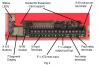
There isnt a wiring diagram as such for a dual com, but i have attached a drawing of the device connections. You would normally connect it via the control panel outputs and power etc
-
John Im yet to year about this recall, but i will check on monday. For my info what is the problem with it? James
-
13.8+ = D 13.8- = A H- = no connection H+ = B SO = Strobe - LB = No Connection T = T You may need a relay for this sounder to be compatible for this panel Basically this sounder is an old style SCB You may need a pull up resistor. If that configuration doesnt work then connect a 1K resistor between B on the panel and D Alternativly you will need a relay to clean switch the voltage req. Support
-
well found. Gald your sorted. Support
-
Yes a 7A/h battery will fit in the poly carb panel. Support
-
HAve a look in the user manual about chime, and enableing disabling etc starts at page 8
-
without knowing hw its programmed i would suggest you have turned on chime on a circuit. best way is to check that, if its not that, then id suggest removing all cabling and linking everything out, to see if the beep still occurs.
-
any pro bellbox will be fine. Have a look at the ventcroft units.
-
Biax Sure send it back then please note RMA 1247641 on the box. Support
-
Kiani No problem can you let me know the reason for the return?
-
Page 23 of the engineer manual
-
Roy they did go out today. James
-
id still suggest you have a back, lid or screw tamper that needs adjusting correctly.