Secware_Tech6
Administrators
-
Joined
-
Last visited
Everything posted by Secware_Tech6
-
This topic has been moved to Intruder Alarms. [iurl]http://www.securitywarehouse.co.uk/forums/index.php?topic=309.0[/iurl]
-
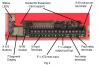
There isnt a wiring diagram as such for a dual com, but i have attached a drawing of the device connections. You would normally connect it via the control panel outputs and power etc
-
John Im yet to year about this recall, but i will check on monday. For my info what is the problem with it? James
-
13.8+ = D 13.8- = A H- = no connection H+ = B SO = Strobe - LB = No Connection T = T You may need a relay for this sounder to be compatible for this panel Basically this sounder is an old style SCB You may need a pull up resistor. If that configuration doesnt work then connect a 1K resistor between B on the panel and D Alternativly you will need a relay to clean switch the voltage req. Support
-
well found. Gald your sorted. Support
-
Yes a 7A/h battery will fit in the poly carb panel. Support
-
HAve a look in the user manual about chime, and enableing disabling etc starts at page 8
-
without knowing hw its programmed i would suggest you have turned on chime on a circuit. best way is to check that, if its not that, then id suggest removing all cabling and linking everything out, to see if the beep still occurs.
-
any pro bellbox will be fine. Have a look at the ventcroft units.
-
Biax Sure send it back then please note RMA 1247641 on the box. Support
-
Kiani No problem can you let me know the reason for the return?
-
Page 23 of the engineer manual
-
Roy they did go out today. James
-
id still suggest you have a back, lid or screw tamper that needs adjusting correctly.
-
Id expect its a badly adjusted tamper switch but if it is faulty you need to request an RMA, once its authorised we will swap the faulty part. However all returns are tested, so be sure its faulty please. You can test it by linking out the bell tamper in the panel. Support
-
1. The 24 is a slimmed own version, id advise you use a 48 as a minimum. A lot of functional;ity is removed form the 24. On the 48 you can connect the network reciever onto the bus. YOu do not need an additional interface. However (working from memory here) the 24 wont accept the network reciever. 2. Yes 3. Yes and Yes, however texecom no longer import batteries and our stock has been exhausted. Have a look at one of the other 7A/h 4. Yes 5. Most cases. The E is an economy version and quieter 6. No, no-one makes a backplate with a battery powered led built in. Support
-
Roy Sorry for the delay in getting back to you, as i assumed this was being dealt with by returns. I have now looked into this and will try to get them sent out today. If not it will be tomorrow now, but i will let you know as soon as they are despatched. Im sorry about this Roy, i shoudl of kept an eye on your return as it was non standard James
-
ST = Connect to strobe - R = connect to T SW = connect to B V+ = Connect to D V- Connect to A Support
-
ah. i will have to check then sorry. i would of said it did include. James
-
Not all modems are compatible. But usually they should be ok. Often its a configuration error at the panel end. Is the panel answering the call correctly? Do you have broadband filters on both ends etc.
-
All those devices will come with the lithium batteries required. SUpport
-
Im sorry its not a unit we stock. Support
-
thanks i will look into it on tuesday. James
-
Tom I have emailed you the relevant download file. Support
-
sorry about that, returns will swap it for you.