Skip to content
View in the app

A better way to browse. Learn more.

Security Warehouse Support Forum

A full-screen app on your home screen with push notifications, badges and more.

To install this app on iOS and iPadOS
  1. Tap the Share icon in Safari
  2. Scroll the menu and tap Add to Home Screen.
  3. Tap Add in the top-right corner.
To install this app on Android
  1. Tap the 3-dot menu (⋮) in the top-right corner of the browser.
  2. Tap Add to Home screen or Install app.
  3. Confirm by tapping Install.

Wzwzrd

Members
  • Joined

  • Last visited

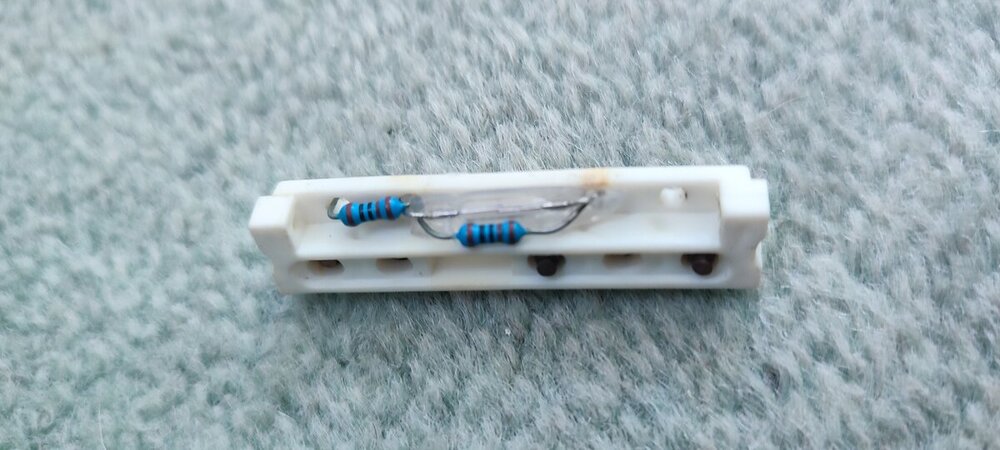
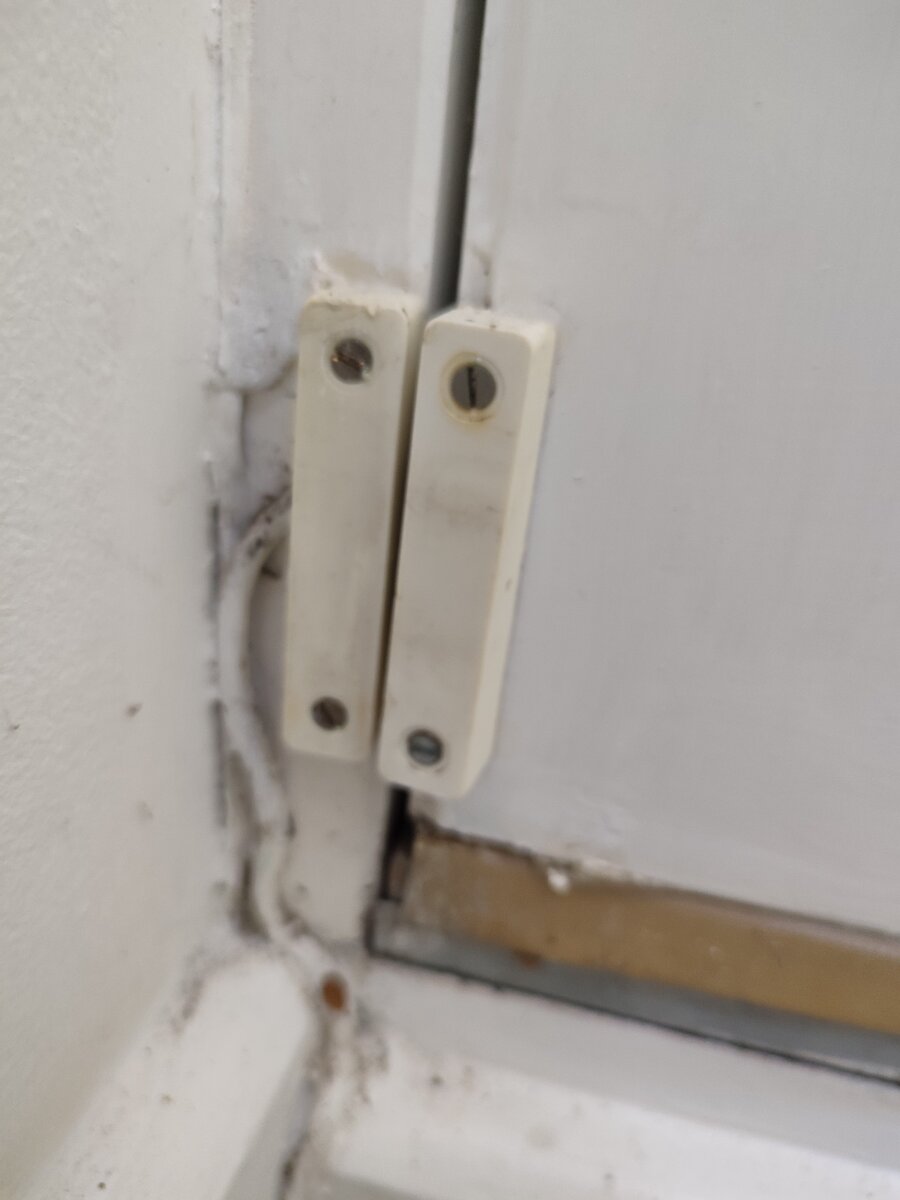
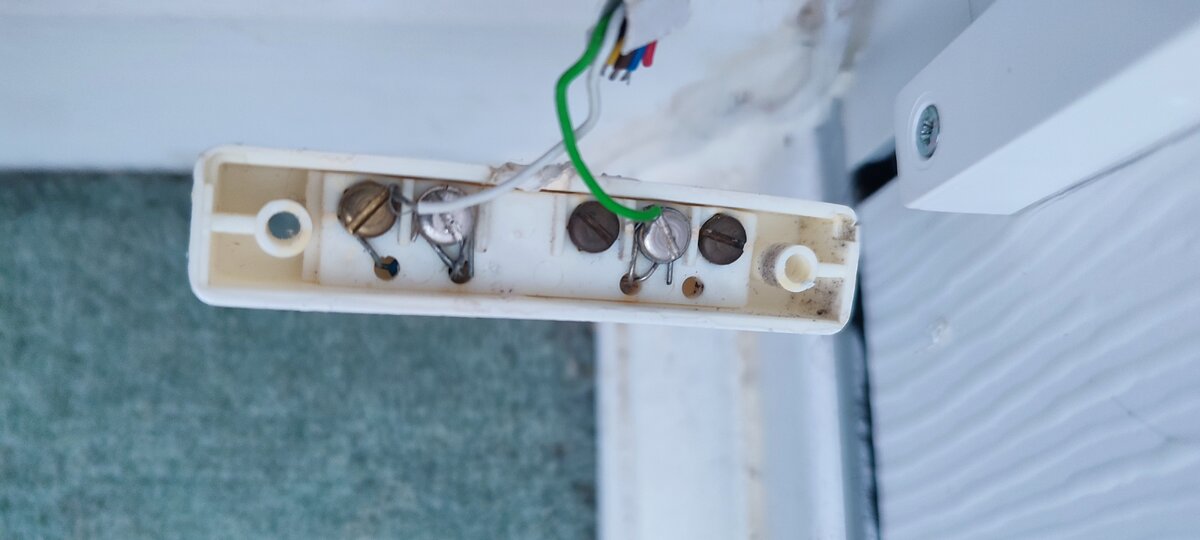
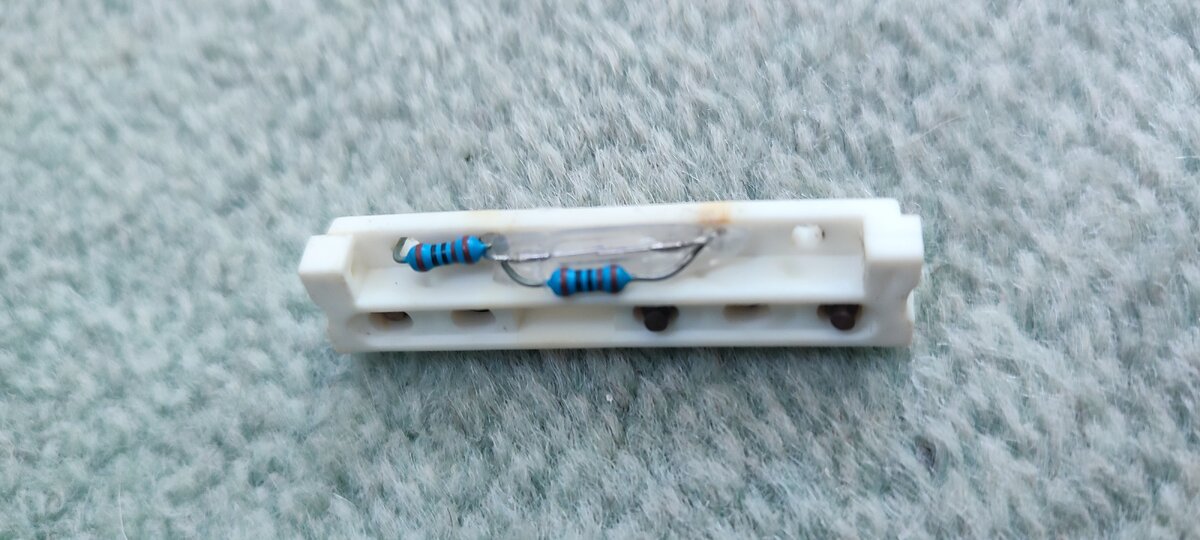
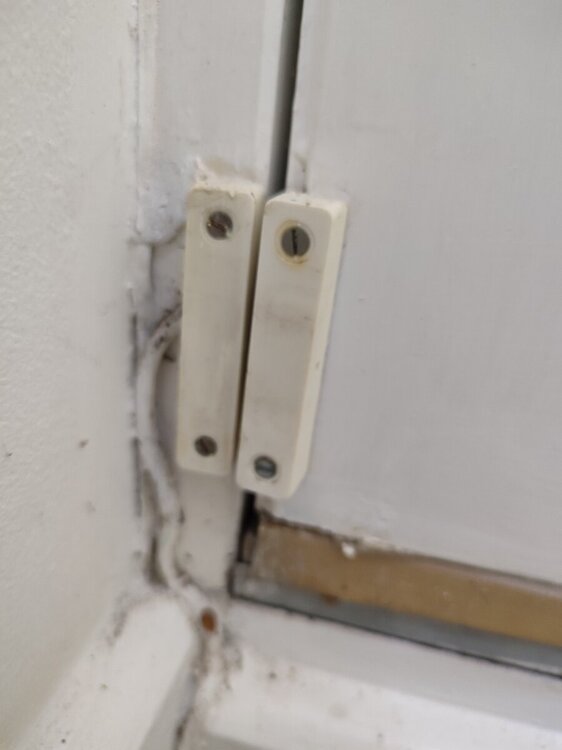
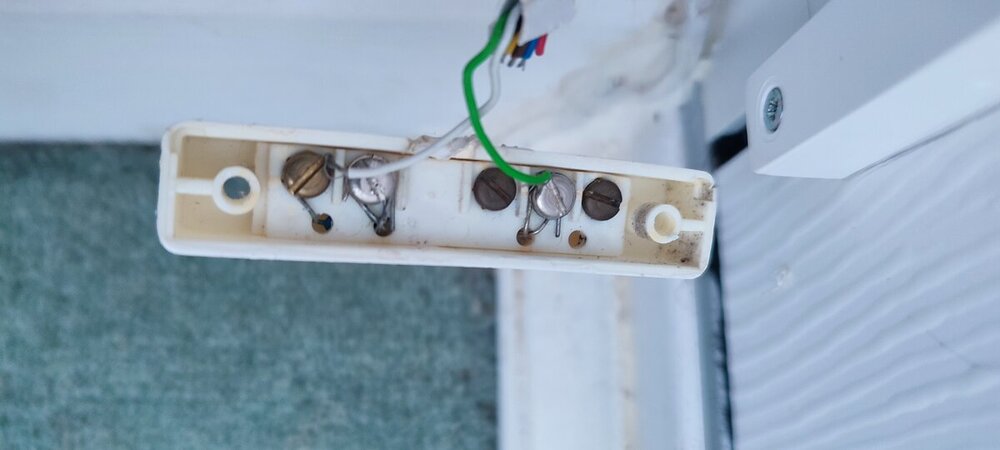
  1. Hi All We have an old ADT Accord XPC home alarm system that's been excellent. Recently we've had the alarm go off around half an house after leaving the house, then it resets itself. I've done some tests and have come to the conclusion that the problem is with our front door Reed Switch sensor. My issue is tyring to identify the door sensor I need to order - as you can see by the photos, I've taken it apart and mine has two additional resistors. Every one I've ordered so far doesn't have these resistors and wont work with my alarm system. Any help in identifying this door sensor and the replacement I need would be much appreciated. Thanks
Important Information

By using this site, you agree to our Terms of Use.

Account

Navigation

Search

Search

Configure browser push notifications

Chrome (Android)
  1. Tap the lock icon next to the address bar.
  2. Tap Permissions → Notifications.
  3. Adjust your preference.
Chrome (Desktop)
  1. Click the padlock icon in the address bar.
  2. Select Site settings.
  3. Find Notifications and adjust your preference.